
What each one is
Glide is a no-code platform that turns spreadsheets and databases — Google Sheets, Excel, Airtable, SQL — into responsive apps. You connect a data source, then use a drag-and-drop layout builder to assemble screens, with AI that can generate a starting app from a sheet and a workflow editor to automate steps. It’s a strong fit when you want a clean front end on data you’ll keep managing elsewhere.
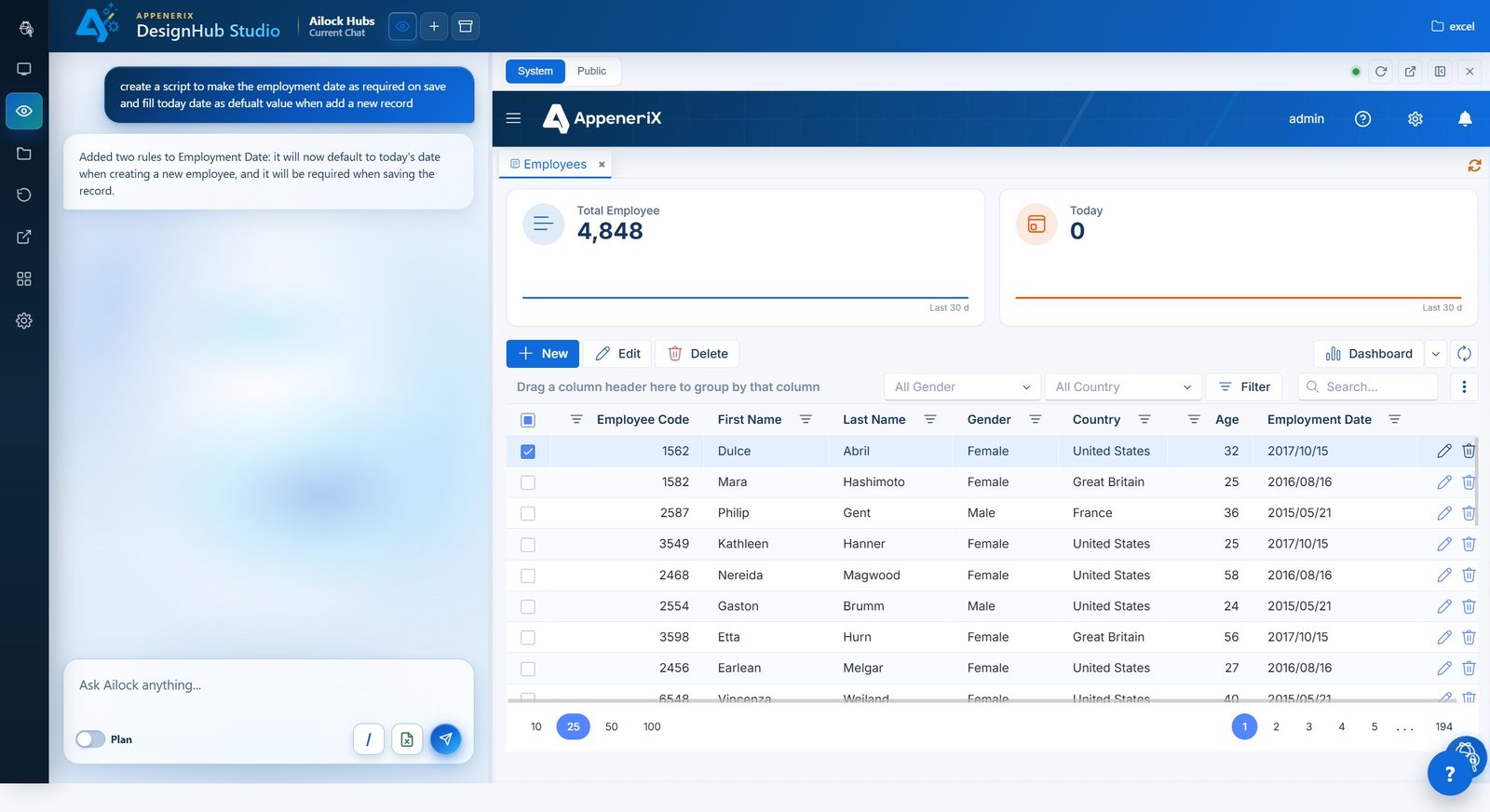
AppeneriX takes a different approach: you upload the Excel file you already use (or a PowerApps export, or soon a legacy SQL Server database), and Ailock reads it and generates the whole app — entities, relationships, forms, grids, dashboards, and permissions. The app runs as metadata on one governed platform, which is the part designed to keep it maintainable as it grows.
Side by side
| AppeneriX | Glide | |
|---|---|---|
| Where you start | Excel, a PowerApps export, plain-language description, or (soon) a legacy SQL database | A connected data source: Google Sheets, Excel, Airtable, or SQL |
| How the app is created | AI generates the full structure and screens for you | You assemble screens with drag-and-drop; AI can generate a starting point |
| Data model | Entities and relationships described as metadata on the platform | Tables from your connected source (or Glide Tables) |
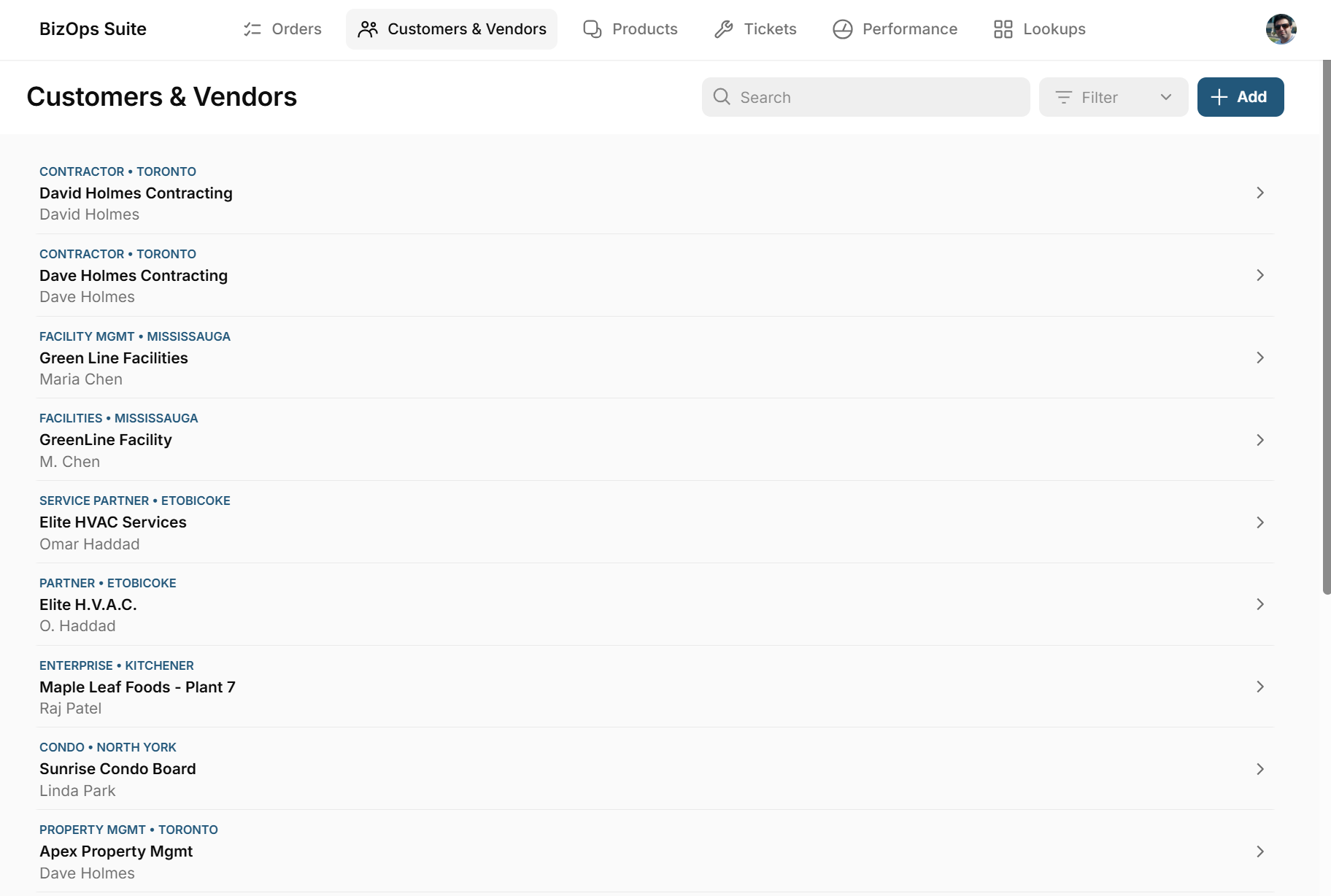
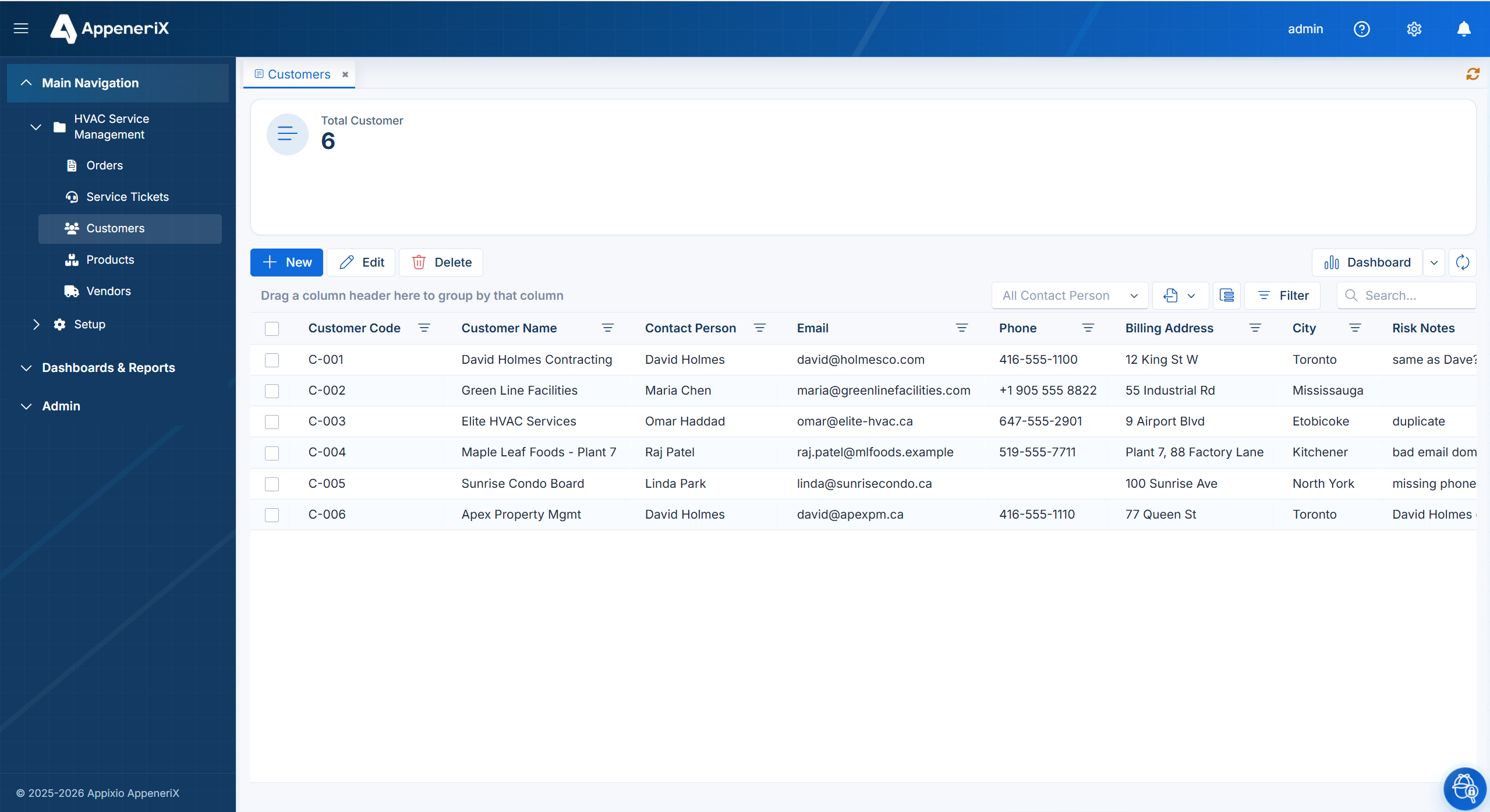
| Data cleaning & de-duplication | Detects duplicate and junk records and resolves them as it builds — e.g. “David Holmes Contracting” and “Dave Holmes Contracting” merged to one customer, with risky rows flagged for review | Surfaces your connected data as-is; duplicates, typos and junk in the source carry into the app |
| Talk to your data | Ask Ailock in plain language inside the running app and get answers with charts (Ailock hubs) | AI mainly assists while you build; not a runtime “ask your data” assistant for end users |
| Permissions & history | Per-person permissions with a full change history built in | Role-based access control |
| Records & usage limits | Record limits scale by tier (up to unlimited on the top tier) — but no per-operation “update” metering or overage charges | Row caps by tier (25k Explorer, 50k Maker, 100k Business) plus metered updates that bill +2¢ each over the cap |
| Free tier | Yes — build and publish a real app on a free subdomain, no credit card | Yes, but for drafts and learning — publishing a real app requires a paid plan |
| Pricing model | A publishable free tier, then a monthly base plus per-user pricing (Starter from $29/mo + $10/user) — typically lower for a small team than Glide's $249/mo Business plan | Explorer $25/mo, Maker $60/mo, Business $249/mo (team features); metered by apps, users and monthly “updates” (+2¢ per update over the cap) |
| Best described as | A governed platform that generates and runs your app | A front-end app layer on top of your data |
Details about Glide are based on publicly available information as of mid-2026 and may change — check glideapps.com for current plans and features.
The difference that shows up on day one: data cleaning
Real spreadsheets and exports are messy. The same customer shows up as “David Holmes Contracting,” “Dave Holmes Contracting,” and “D. Holmes.” Emails are malformed, customer codes are missing, rows are duplicated. This is where the two tools diverge most.
Glide is a front end on top of your data source, so whatever mess is in your sheet is the mess in your app — it doesn’t de-duplicate or clean junk records for you. AppeneriX does the “data laundry” as it builds: it detects duplicate and junk records, resolves the variants to a single clean entity, and flags risky rows — duplicates, bad emails, missing fields — so you can review them before they cause problems. You end up with a real, governed business app running on cleaned data, not a polished view of a messy sheet.
In Glide · imported as-is
Cleaned & deduped · in AppeneriX
Where Glide shines
Glide is genuinely good at what it does. If your data already lives in Google Sheets or Airtable and you want a polished, mobile-first app on top of it — and you enjoy laying out screens yourself — it’s a mature, well-designed choice with a big template library and an active community.
Where AppeneriX is different
- More of the app is generated for you. Instead of assembling screens, you start from a full app the AI proposed from your file — then adjust.
- It cleans your data as it builds. Duplicate and junk records are detected and resolved — and risky rows flagged — instead of being carried straight into the app.
- More on-ramps. Not just spreadsheets: bring a PowerApps export or, soon, a legacy SQL Server database.
- Governance built in. Per-person permissions and a full change history are part of the platform, not something you assemble.
- A free tier you can publish on. Build and run a real app without upgrading first.
When to choose which
Choose Glide if your data will keep living in a spreadsheet or database as the source of truth, you want a slick mobile front end, and you’re happy composing screens yourself.
Choose AppeneriX if you want the AI to generate the whole app from what you already have — Excel, PowerApps, or a legacy database — with permissions and audit built in, and a platform designed to stay maintainable for years. If long-term maintainability is your worry, our take on why AI-generated apps break at month six explains the thinking.
Frequently asked questions
Is AppeneriX a Glide alternative?
Yes, for teams who want the app generated from their existing file with governance built in, rather than assembling a front end on a spreadsheet they keep managing separately.
Can I start from a spreadsheet like I would in Glide?
Yes. Upload your Excel file and AppeneriX detects the app inside it — entities, fields, and relationships — in seconds, no signup.
Which is cheaper?
It depends on your usage. Glide’s cost scales with published apps, users, and monthly updates; AppeneriX offers a free tier you can publish on plus a monthly base and per-user pricing. Price both against the number of users you’ll actually have.