
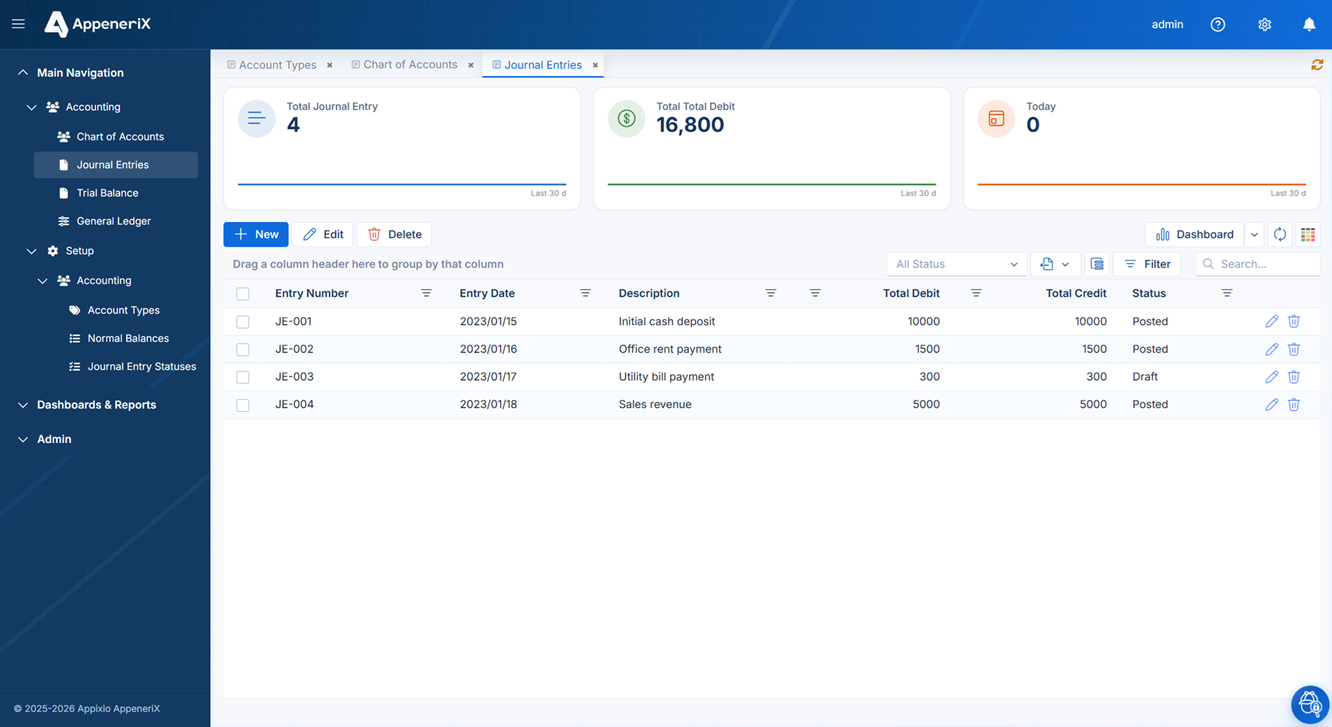
A quick note on how AppeneriX is put together, because it explains most of what follows. Your app isn’t generated as throwaway code — it’s described as metadata: definitions of entities, fields, relationships, pages, and rules that a metadata-driven runtime renders. You (or Ailock, the AI builder) edit that description in a draft, then publish it as one atomic change, with a restore point created every time so you can roll back. That’s why the same app stays changeable by a non-developer a year later. With that context, here’s what you can actually model and build.
The data model
The core building block is an entity — a table with a name, a title, and a set of fields. Each field has a type, and the supported types are:
- Text and Memo (long / multi-line text).
- Number and Decimal.
- Date, Time, and Boolean (yes/no).
- Lookup — a single reference to a row in another entity (a dropdown backed by real data).
- LookupMulti — a multi-select reference to several rows in another entity.
- File — an uploaded attachment on the record.
- Relative — an embedded list of related records, shown inline (the child side of a parent/child relationship).
- Script — a field whose value comes from logic rather than direct entry.
Fields can be marked required and given defaults, and lookups carry their link to the source entity so the platform can wire up the foreign key for you.
Relationships
Entities connect through real relationships, not just loose references. The supported relationship types are:
- One-to-one (
HasOne/BelongsTo). - One-to-many (
HasMany) — the backbone of most business data: one customer, many orders. - Many-to-many (
ManyToMany).
You define these visually on an interactive ER diagram — drag an entity in, draw the link, and optionally let the platform create the foreign-key field for you — or you let Ailock infer them when it reads your spreadsheet or description.
How master–detail (parent/child) records are displayed
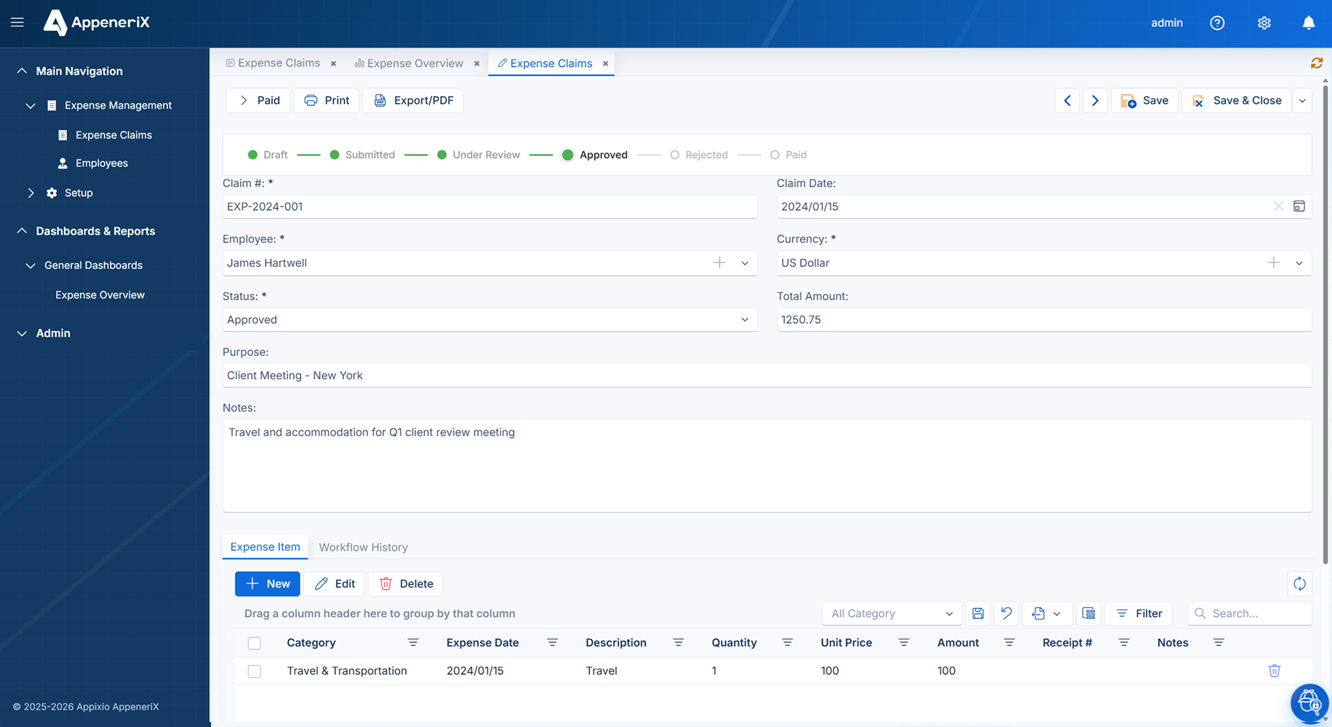
A one-to-many relationship becomes a master–detail page: the parent record renders as a form, and its children render as a grid embedded directly in that form — an order with its line items, a project with its tasks. You edit the parent and its children together, and they save in a single coordinated operation so a half-saved parent-without-children state can’t occur. Pages come in three shapes internally — list, master–detail, and detail — and the generator picks the right one from the entity’s role (a lookup table becomes a simple list; an entity with children becomes master–detail).
Views
Once your data model exists, it’s rendered through a fixed set of view types. These are the ones that exist today:
Grids (list view)
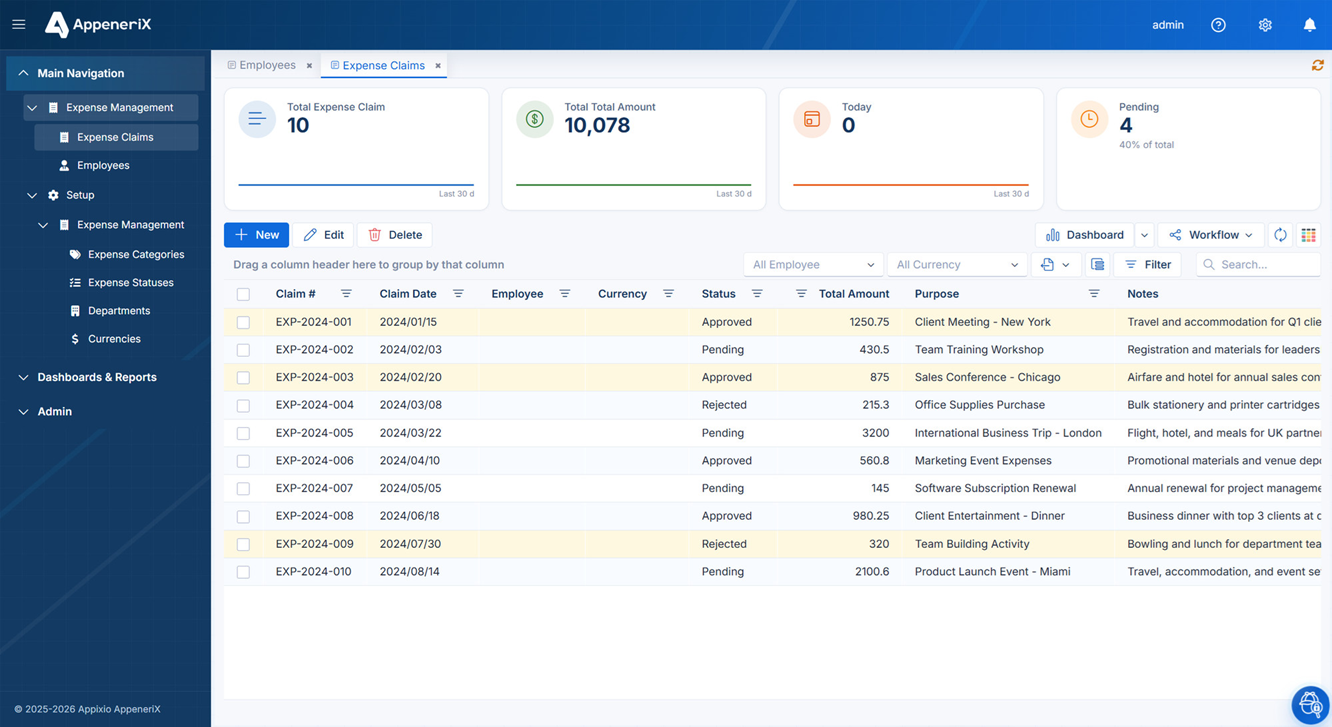
The default view is a data grid with the capabilities you’d expect from a serious table: filtering, sorting, grouping, column summaries, a column chooser, and export to Excel and PDF. Columns and their types are loaded from the entity’s metadata, so the grid always matches the current structure.
Forms (detail view)
The detail view renders a record as a form built from the field types above, including the richer controls: single and multi lookups, a lookup shown as a selectable grid, file uploads, and embedded related lists shown in tabs. Forms guard against navigating away with unsaved changes.
Master–detail pages
As described above — a parent form with one or more child grids, saved together. This is a first-class view, not something you assemble by hand.
Kanban boards
Any entity with a status/stage-style field can be shown as a Kanban board: lanes by status, drag-and-drop cards, and lane counts. You switch between the grid and the board from the list toolbar. When a workflow governs that status field, drag-and-drop is validated against the allowed transitions before it moves.
One page definition, every screen size
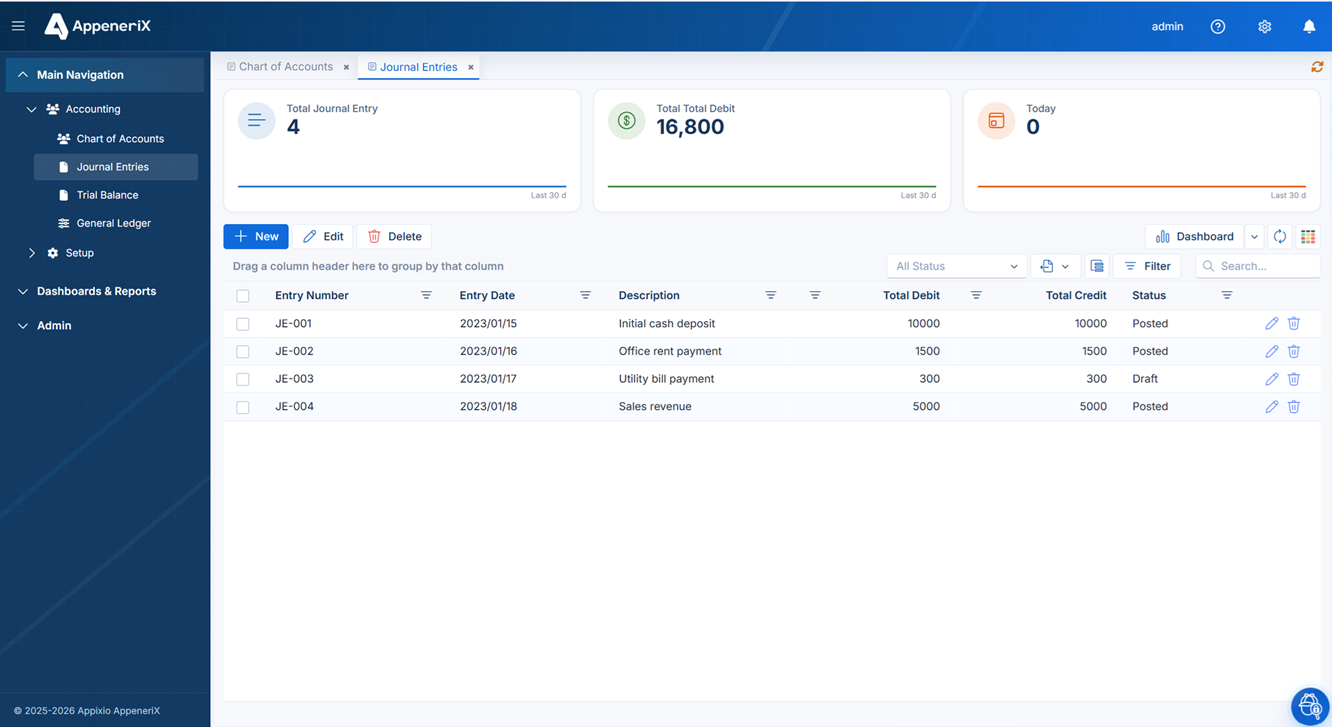
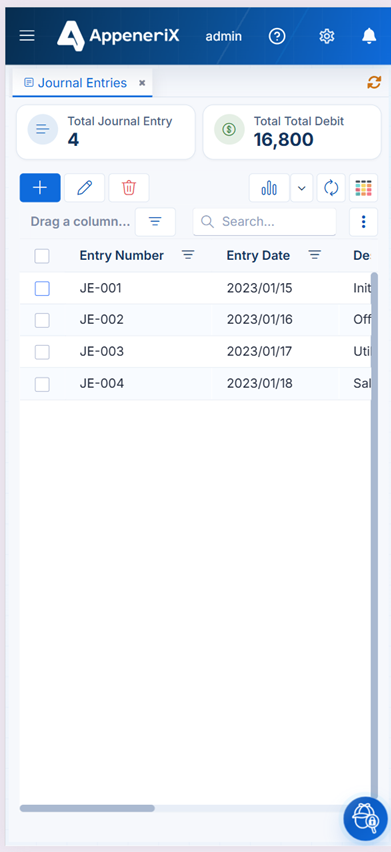
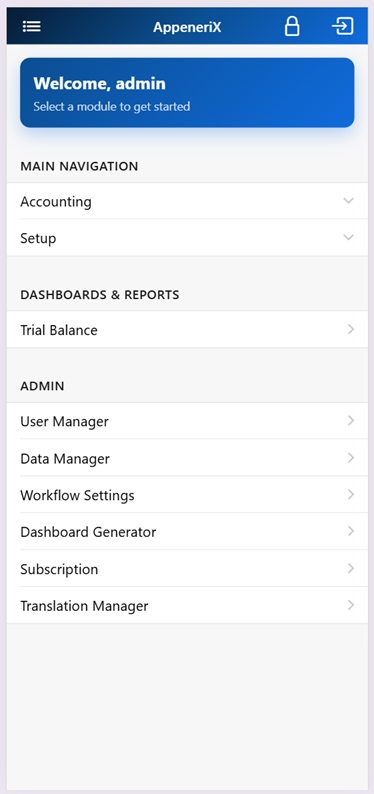
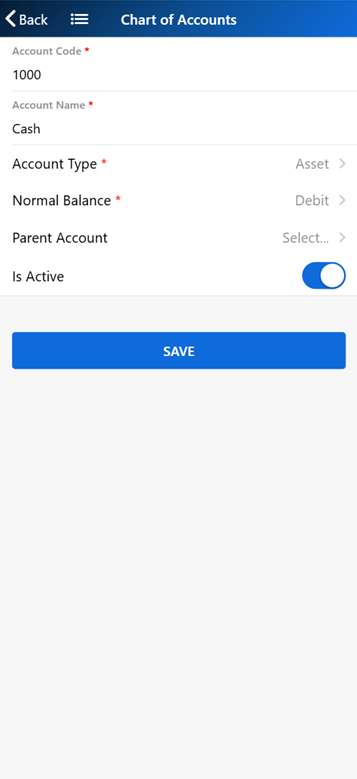
Because a page is generated from metadata rather than hand-coded twice, the same Journal Entries page renders on a desktop screen and on a narrow mobile viewport without a separate mobile build to maintain:
Reports and dashboards
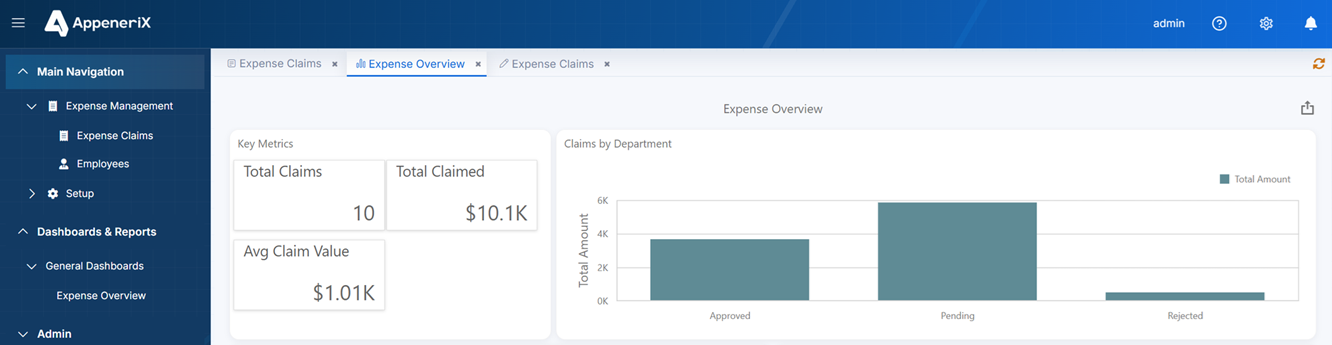
Reports and dashboards are available through an integrated reporting engine (Stimulsoft), with report and dashboard definitions you can create, edit, and manage, plus dashboard data sources. This is where summarized, print-ready output and at-a-glance metrics live.
Permissions and multi-user access
AppeneriX is multi-user from the ground up — concurrent users, not a shared file. Access is controlled at a few levels:
- Authentication. Users sign in with tokens; sensitive endpoints require authorization, and the runtime re-checks auth as users move around.
- Per-page permissions. Pages carry their own permission configuration, so who can open and act on a given screen is controlled.
- Role-aware workflow. Workflow transitions are checked against the user’s role, so “only a manager can approve” is enforced by the engine, not by hiding a button.
- Login-context row scoping. The platform can automatically filter what a user sees and stamp what they create based on their login context — for example scoping records to a branch, company, or fiscal year without you writing the filter each time.
- User administration. Users can be listed, activated/deactivated, have permissions managed, and their activity reviewed.
On audit history, be precise about what’s built in: workflow transitions are recorded with history (who moved a record, when, to what state), and user activity is tracked. A general per-field change log across every entity isn’t a single toggle today — but because logic hooks run on every write (below), an append-only audit trail is a standard thing to add where you need it.
Automation and workflows
Automation centers on a real workflow engine. For an entity, you define states and the transitions between them, and the runtime:
- computes which transitions are allowed for a given record and the current user’s role,
- executes a transition with an audit record and a notification,
- surfaces a transition bar on detail pages and transition actions in the grid’s context menu,
- and drives the Kanban board, so moving a card is a governed transition.
Notifications come with a list, read/read-all, and pending counts. Alongside the workflow engine, server-side hooks fire at the moments that matter — before/after a record is inserted, updated, or deleted — which is where approvals, computed fields, and cross-record updates are enforced. Because those hooks run on the server on every write path (form, API, import, mobile, public form), an approval or rule genuinely can’t be bypassed by coming in through a different door.
Extensibility
This is the part that separates AppeneriX from no-code-only tools, and it’s worth being exact about where each kind of logic runs.
- Server-side entity hooks run inside the write, transactionally: validate and reject (with a clean rollback and a clear message), compute and derive fields, roll values up from child records, and cascade writes to related records as part of the same operation. These are for integrity, and they hold on every entry point.
- Client-side page scripts attach to page events — a page loading, a save, a delete, and customizing the edit form — and from there drive the UI (show/hide/lock fields, recompute live) and reach the governed data layer.
- Open outbound API calls live on the client side, where a page script can make ordinary
fetch/ajax calls to any third-party service — a shipping rate, an address check, your own microservice. There is no blessed-connector list; it’s the open web platform. - Custom pages let you drop in bespoke screens (as a file, an inline script, or an AJAX-loaded fragment) when the standard grid/form/board isn’t the right shape.
Compared with a no-code-only builder, the difference is that you don’t hit a wall and have to export to a “real” codebase when a hard requirement lands — the enforced-logic and integration paths are on the same platform as the drag-and-drop. We go deeper on exactly this in No-Code Without the Ceiling.
Import options
There are three on-ramps, and they’re at different stages of maturity. We label them plainly on the site and we’ll do the same here:
- Excel — fully supported. Upload the spreadsheet you already use and the platform detects the entities, fields, types, and relationships hiding inside it, cleans the data as it goes, and builds a working app with your rows loaded. You can even preview the detected app with no signup.
- PowerApps — beta. Upload an exported PowerApps package (
.zip/.msapp) and it’s rebuilt as AppeneriX entities, fields, and relationships. It’s in beta: great for the data model and screens, and complex logic is exactly the kind of thing we want feedback on rather than a guarantee. - Legacy SQL Server — early access (coming soon). Modernizing an old SQL Server database into a maintainable AppeneriX edition is on the roadmap and open for early access, not a self-serve import you can run today.
The honest summary of what’s beta or not yet here
Pulling the caveats into one place, so nothing is buried:
- No dedicated calendar view type (use a grid or Kanban board).
- The PowerApps converter is beta — solid on structure, still maturing on complex logic.
- Legacy SQL Server import is early access, not generally available.
- Audit history is built in for workflow transitions and user activity; a universal per-field change log is something you add via hooks rather than a single switch.
Everything else above — the field and relationship types, master–detail, grids, forms, Kanban, reports and dashboards, permissions, the workflow engine, and the server- and client-side extensibility — is available today.