
The mess you’ve stopped noticing
Open any spreadsheet a team has used for a year and you’ll find the same story. One customer is entered as “David Holmes Contracting,” then later as “Dave Holmes Contracting,” then as “D. Holmes” when someone was in a hurry. An email is missing an “@”. A row was copied and never finished. None of it stopped the spreadsheet from working — so nobody fixed it.
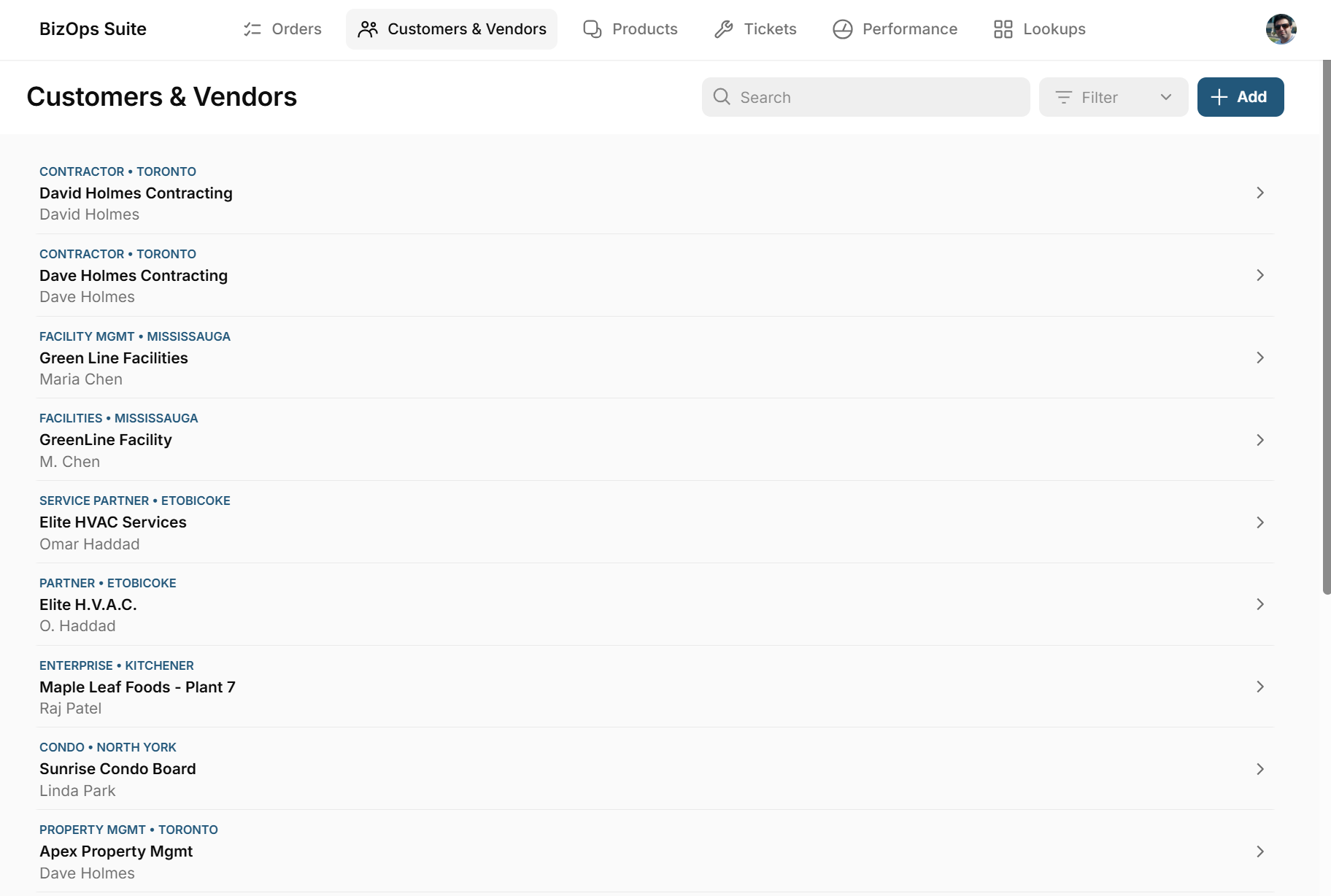
Here’s a typical import, with the problems most people scroll right past:
- David Holmes Contractingduplicate
- Dave Holmes Contractingduplicate
- D. Holmesduplicate
- Sunrise Condo Board — (no email)missing field
- raj.patel[at]mlfoods.examplebad email
Why it suddenly matters in an app
In a spreadsheet, three versions of the same customer are a cosmetic annoyance. In an app, they’re three different customers. Orders get split across all three, so no one’s totals are right. A dashboard counts your customer base as bigger than it is. Automations email the wrong address. The report you built to make decisions is now quietly wrong.
An app makes your data’s quality visible — for better or worse. Clean data becomes a superpower; messy data becomes a bug.
What most tools do about it: nothing
This is the part people don’t expect. Most app builders — including popular no-code tools — are essentially a front end on top of your data source. They’re good at that. But they take your sheet as the source of truth, which means whatever junk is in the sheet is now junk in the app, just with nicer styling. The cleanup is still your problem, and now it’s spread across a live app instead of one file.
What AppeneriX does: data laundry
AppeneriX treats cleaning as part of building, not a chore you do first. When it reads your file, it:
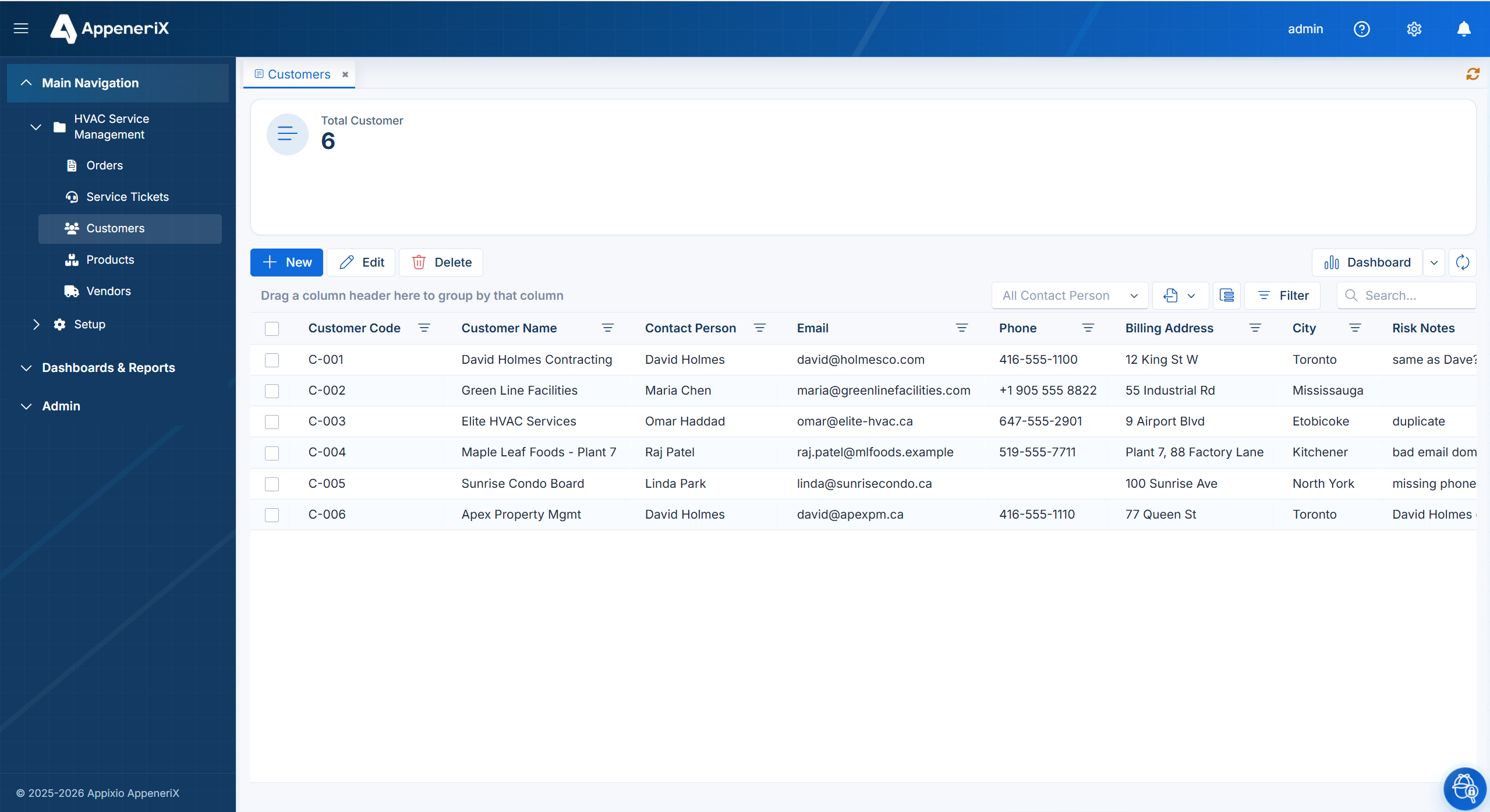
- Detects duplicate and junk records — matching “David Holmes Contracting,” “Dave Holmes Contracting,” and “D. Holmes” as the same customer.
- Merges the variants into one clean entity with a single canonical record, so orders and history line up under one customer.
- Flags risky rows — missing emails, malformed addresses, empty codes — in a review column, so you decide what to fix rather than discovering it in production.
The result is a real, governed app running on cleaned data: de-duplicated customers, valid contacts, and a record of what was merged and why. Not a polished view of a messy sheet.
See it on your own file. Upload your spreadsheet and AppeneriX detects the entities and relationships inside it in seconds — the first step of the same cleanup, no signup.
Frequently asked questions
Will it delete data I actually need?
No. Merges are proposed and risky rows are flagged for your review — you stay in control of what gets combined or fixed.
What kinds of junk does it catch?
Duplicate and near-duplicate records (spelling and abbreviation variants), missing required fields, and malformed values like bad email addresses.
Does this work for PowerApps and legacy data too?
The same idea applies when you bring a PowerApps export or, soon, a legacy SQL Server database — clean as you build, not after.