
Approvals scattered are approvals ignored
Give a manager five different forms that each need their sign-off, and you’ve given them five different places to remember to check. In practice, that means they don’t check most of them until someone chases them down over email or in person. It’s not that anyone’s careless — it’s that “go look in five different screens for anything pending” isn’t a habit any person reliably keeps up.
This is where a lot of otherwise well-built apps quietly stall. The forms work, the workflow is defined, the roles are right — and the whole thing still moves slowly, because the person who needs to act has no single place to see that action is needed.
What My Tasks actually is
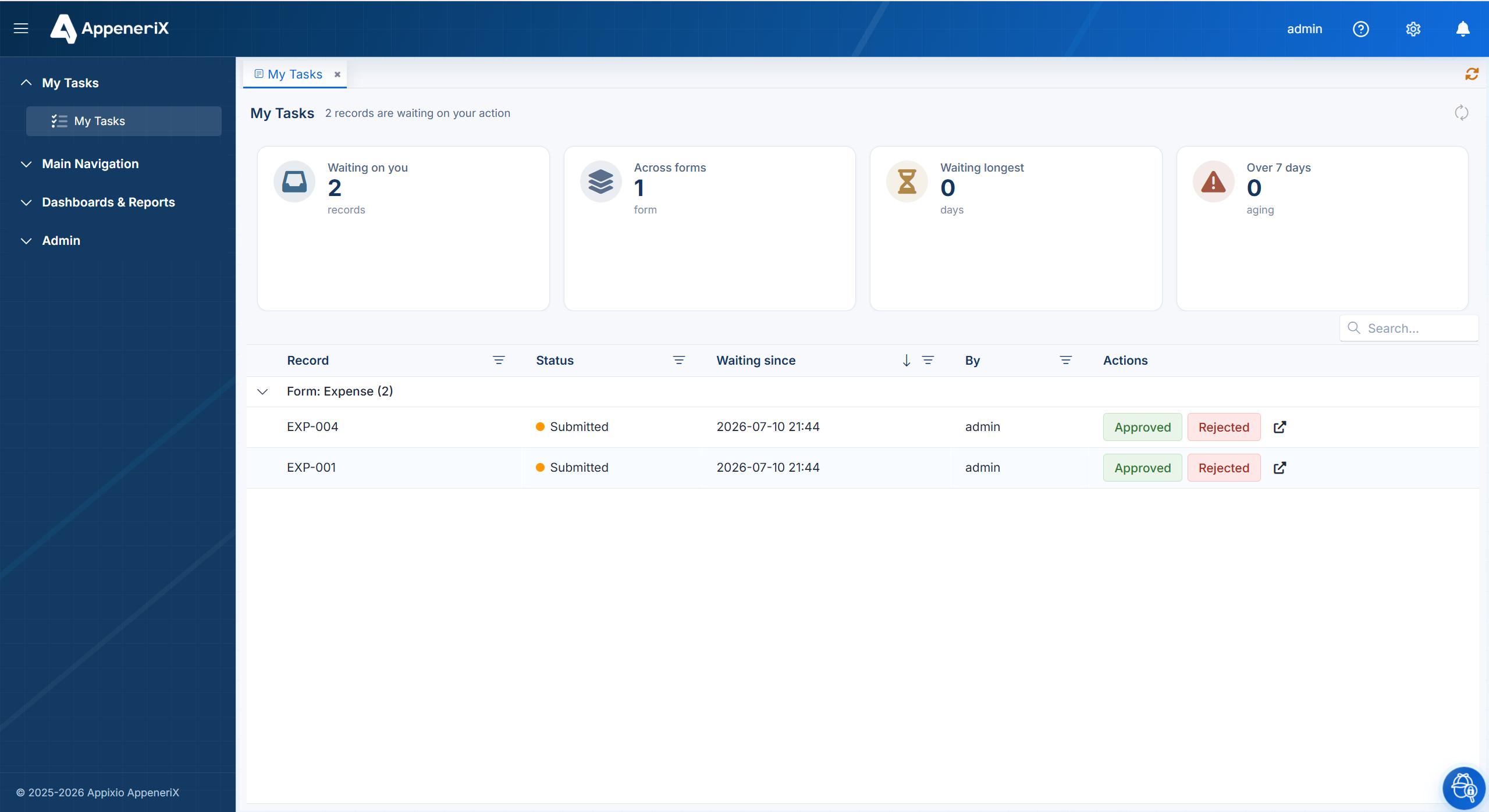
My Tasks is a single inbox, specific to the person looking at it, that lists every record currently waiting on their role to move it forward — an expense to approve, a leave request to sign off, a discount to authorize — regardless of which form or which part of the app it lives in. Open it, and you see exactly what’s on you today. Nothing more, nothing you have to go looking for.
It’s automatic, not something you build per form
The inbox isn’t a separate thing you maintain alongside your forms. It reads directly off the same workflow states and roles already defined on each form. Add a new form with a workflow step assigned to, say, the Finance role, and anyone with that role immediately sees it appear in their My Tasks the next time a record reaches that step — with no extra configuration. The inbox is a view over governance you’ve already set up, not a second system to keep in sync with it.
Act where you see it. Each item in My Tasks opens straight to approve or reject, with a comment attached to the decision — so the reason for a rejection lives with the record, not in a separate email thread someone has to go dig up later.
Why a unified inbox is what makes governance actually run
Defining states, roles, and an audit trail is the design work. A place where the people holding those roles actually see and act on their part, every day, is what makes the design work in practice. Without it, a beautifully governed workflow still depends on someone remembering to check the right screen — which is the same problem the workflow was supposed to solve in the first place.
Put differently: approvals scattered across forms and email are where work quietly dies. A unified inbox is what turns a governed process from something correct on paper into something that actually moves at the pace of the people using it.
Frequently asked questions
Does every form show up in My Tasks?
Only forms with a workflow step currently assigned to your role. If nothing’s waiting on you, the inbox is empty — that’s the point.
Can I see tasks I’ve already acted on?
Yes, alongside the live queue you can see what you’ve already approved or rejected, so there’s a record of your own decisions, not just what’s pending.
Do I need to set anything up to use it?
No. If your app has forms with workflow and roles defined, My Tasks populates itself — there’s nothing extra to configure per form.