
A form isn’t a system
Type up a request form and you’ve solved data entry. You haven’t solved the actual problem, which is usually: someone needs to review this before it’s real. An expense needs a manager’s sign-off. A leave request needs HR. A discount over a certain size needs a second pair of eyes. Without a workflow, “review” means someone emails a screenshot, or a status column that anyone with edit access can flip themselves — which isn’t review at all.
This is the point where a lot of AI-generated apps stop. They’re very good at the form. They’re silent on what happens next, because approvals, roles, and history are governance, not layout — and governance is the part that takes actual design thinking, not just a prompt.
States and transitions, in plain terms
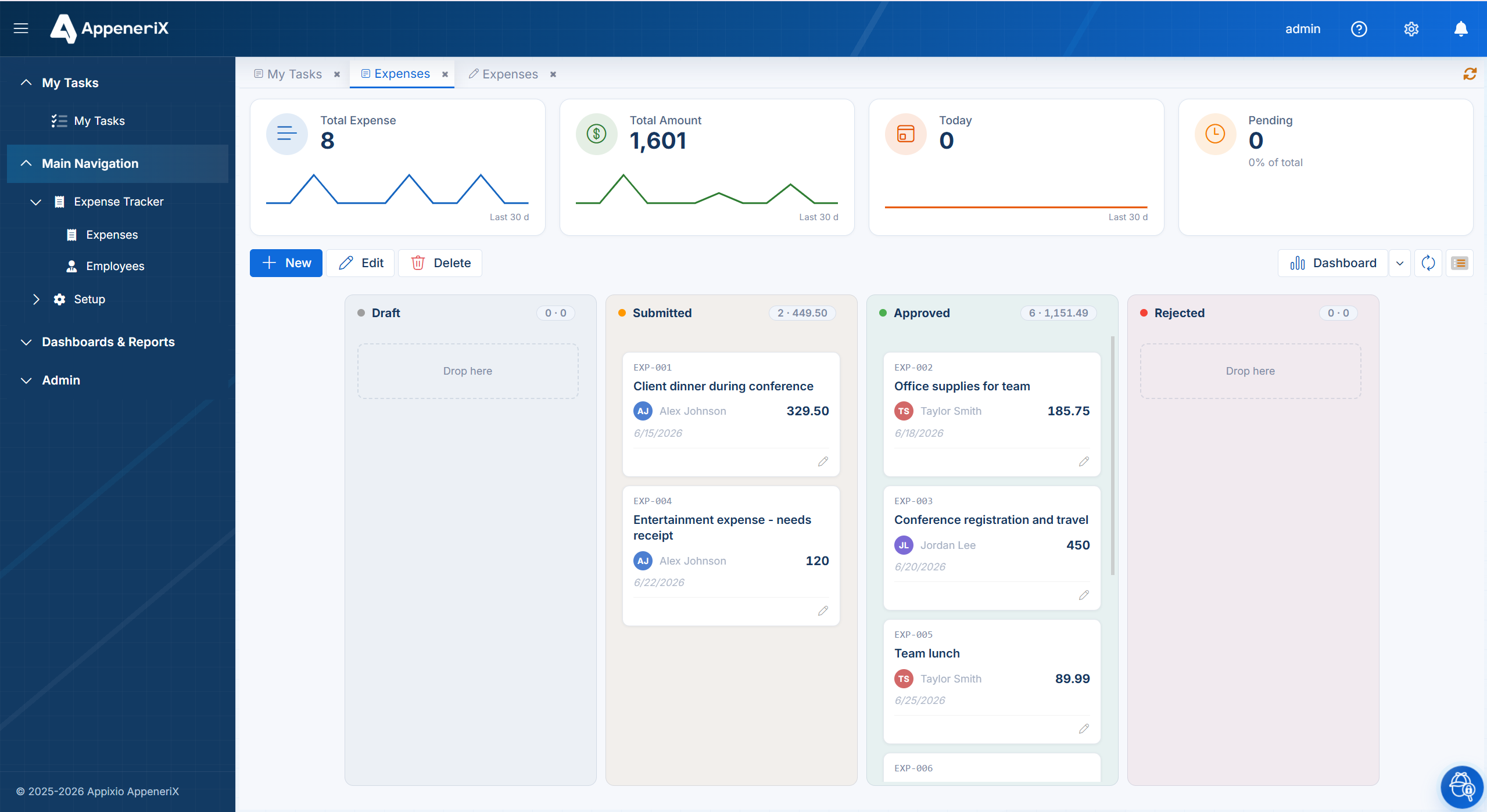
A workflow is just a small, explicit map of the states a record can be in, and which moves between them are allowed. A simple expense request might look like:
Draft → Submitted → Approved (or Rejected) → Paid
Each arrow is a transition, and each transition is a decision someone makes deliberately — not a free-text field anyone can edit. A record in Submitted can move to Approved or Rejected, but it can’t jump straight to Paid, and it can’t quietly slide back to Draft after someone’s already signed off. Naming the states out loud — instead of leaving them implicit in a status dropdown — is what makes the process something you can actually reason about and enforce.
Who can move each step
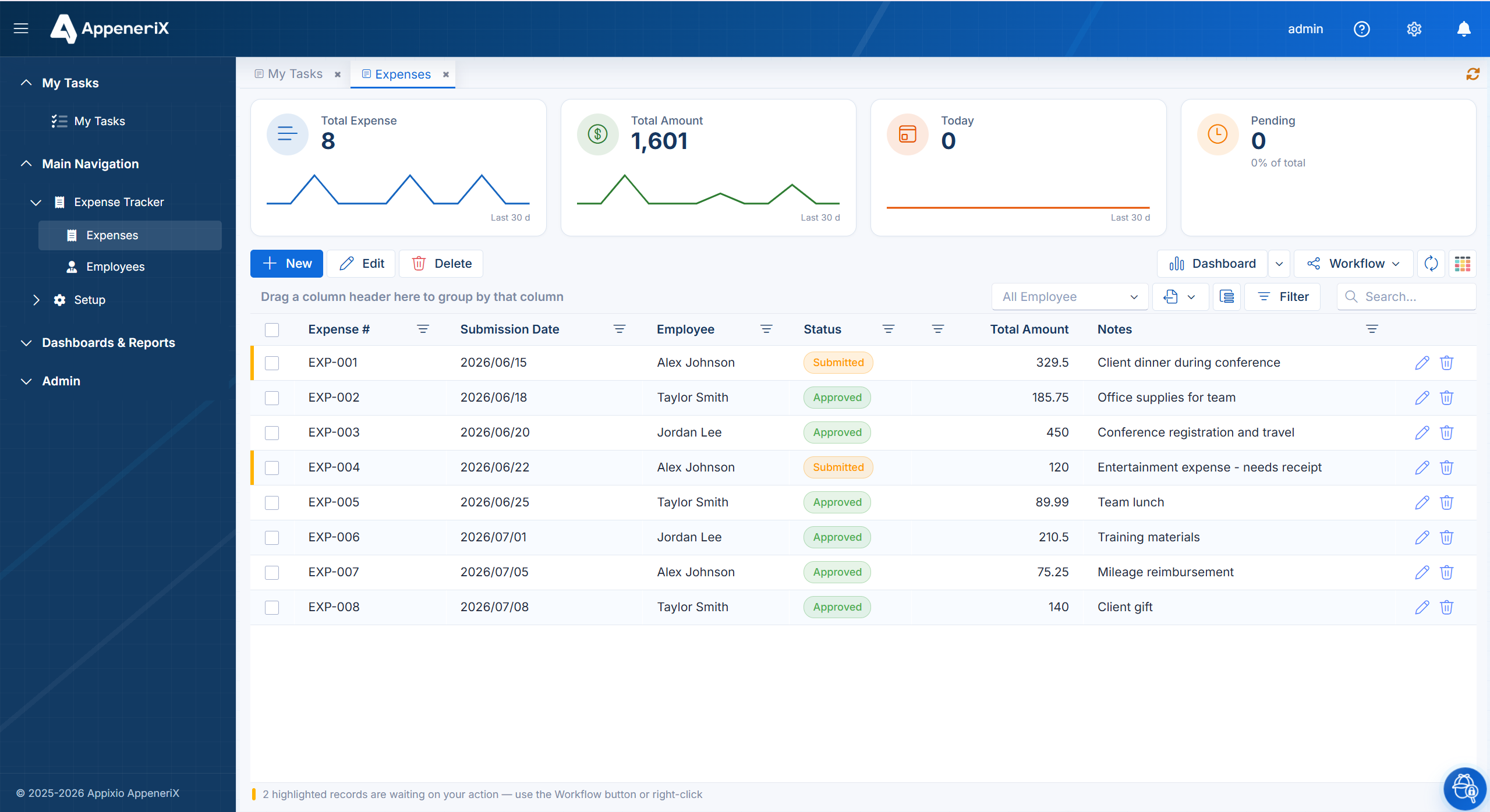
The states are only half of it. The other half is: who is allowed to make each move. Anyone can put a record into Draft. Only the requester can move it to Submitted. Only a manager can move it from Submitted to Approved or Rejected. Only finance can move an approved record to Paid.
Tying transitions to roles, rather than to individual people, is what makes the process survive staff changes — a new manager inherits the approval step without anyone reconfiguring the app. It’s also what stops the most common failure mode: a well-meaning teammate with edit access “fixing” a record’s status by hand because that’s the only tool they have.
The test that matters. Ask of any app: can someone other than the approver mark a request approved? If the honest answer is yes, you have a form with a status field, not an approval workflow.
The audit trail: who, what, when
The third ingredient is history. Every transition — who moved a record, from which state to which, and when — should be logged automatically, permanently, and outside anyone’s ability to quietly edit it after the fact. That log is what turns “I’m pretty sure it was approved” into a fact you can point to during a dispute, an audit, or just a Monday-morning “wait, who signed off on this?”
This matters more than it sounds like it should, because it’s the piece that’s hardest to bolt on later. A history table someone remembers to write to by hand isn’t an audit trail — it’s a habit that lapses the first busy week.
What breaks without it
None of this matters while it’s just you using the app. It matters the moment a second person shows up, and it matters more with every person after that. That’s usually the exact point where a spreadsheet-turned-app or a quick AI-generated tool starts to strain: two people editing the same record, no clear owner for the next step, and no way to tell what actually happened last week. We wrote more about that pattern in why AI-generated apps break at month six — workflow and permissions are usually the first things to come apart.
Platforms built for single-user prototypes tend to treat workflow as an advanced feature you add later, if the underlying tool supports it at all. Enterprise low-code platforms handle this but at real setup cost; lighter no-code builders often don’t handle it at all. The gap in the middle — real governance without the enterprise overhead — is what most growing teams actually need.
Frequently asked questions
Do I need to design the whole workflow up front?
No. Start with the states you actually have today — even just Draft, Submitted, Approved — and add steps as the process grows. A workflow is meant to be edited, not fixed in stone.
Can different forms have different workflows?
Yes. An expense form, a leave request, and a purchase order each get their own states, roles, and rules — there’s no reason they should share one.
What happens to a record while it’s waiting on someone?
It sits in its current state until someone with the right role acts on it. That’s exactly the problem a unified inbox solves — see how a task inbox surfaces what’s waiting on you.