
What each one is
Microsoft Power Apps is part of the Power Platform. You build canvas or model-driven apps, usually on Dataverse, wired to Microsoft 365 and a large ecosystem of connectors, with Power Automate for workflows and enterprise-grade security through Microsoft Entra. It’s a strong fit for organizations already standardized on Microsoft that need an extensible platform and have (or can get) people to run it.
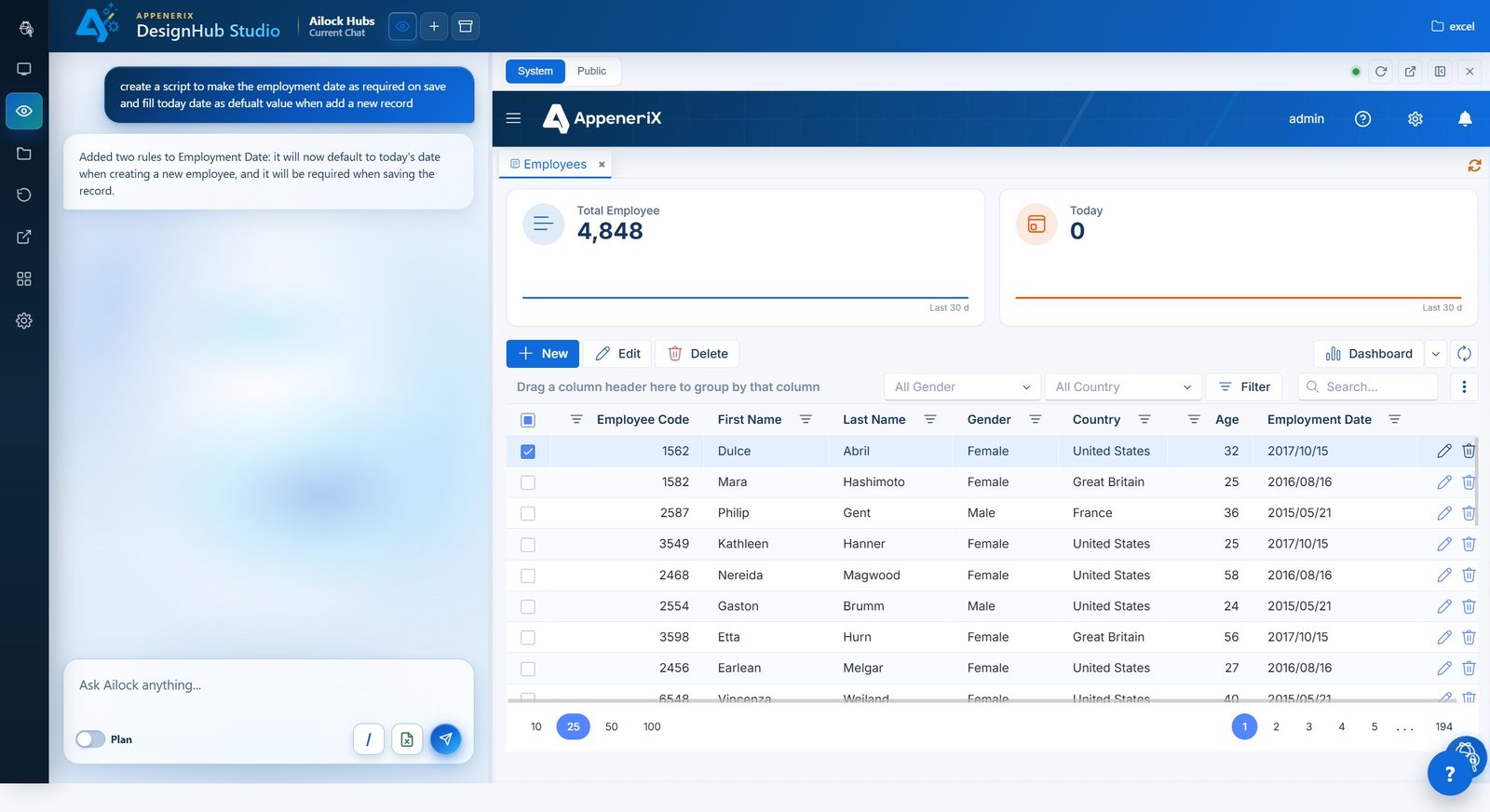
AppeneriX takes a different path: upload the Excel file you already use, a Power Apps export, or soon a legacy SQL Server database, and Ailock generates the whole app — entities, forms, grids, dashboards, and permissions — and cleans the data as it goes. It runs as metadata on one governed platform, so a non-developer can keep changing it for years.
Side by side
| AppeneriX | Microsoft Power Apps | |
|---|---|---|
| Best for | Teams who want an app generated from what they already have, with simple governance | Organizations standardized on Microsoft 365 / Azure needing an extensible enterprise platform |
| Where you start | Excel, a Power Apps export, plain-language description, or (soon) a legacy SQL database | Canvas or model-driven apps built on Dataverse and connectors |
| How the app is built | AI generates the full structure and screens for you | You build the app (with Copilot assistance) across Power Platform components |
| Data cleaning & de-duplication | Detects duplicate and junk records, merges variants, and flags risky rows | Not a data-cleaning tool; data comes from your sources as-is |
| Permissions & audit | Per-person permissions and full change history built in | Enterprise security and auditing via Dataverse and Microsoft Entra (powerful, more setup) |
| Complexity | One platform; a non-developer can maintain it | Multiple pieces to learn and connect: canvas/model-driven, Dataverse, Power Automate, connectors |
| Pricing model | Monthly base + per-user pricing, all-in (no separate Dataverse capacity or add-ons) — plus a free tier you can publish on | Free Developer Plan (non-production); production via Power Apps Premium around $20/user/mo, plus Dataverse capacity (about $40/GB/mo) and add-ons like Power Automate and AI Builder |
| Migrating off it | — | Export your app as a package and rebuild it in the AppeneriX converter (beta) |
Power Apps licensing details are based on publicly available information as of mid-2026 and change often — check Microsoft’s pricing page for the latest. Note that the Per App plan was removed from Microsoft’s licensing guide in early 2026.
Where Power Apps shines
Power Apps is genuinely powerful. If your organization runs on Microsoft 365, needs deep integration with Dataverse, SharePoint, Teams, and Azure, and wants an extensible platform with enterprise governance — and you have IT or a partner to support it — it’s a serious, capable choice with a huge ecosystem behind it.
Where AppeneriX is different
- It generates the whole app for you. Start from a full app the AI proposed from your file, instead of building canvas and model-driven apps yourself.
- It cleans your data as it builds. Duplicates and junk records are detected, merged, and flagged — not carried in from your sources.
- Simpler to run and price. One platform instead of stitching Dataverse, Power Automate, connectors, and their add-on licensing; a free tier you can actually publish on, with all-in per-user pricing and no separate Dataverse capacity.
- A migration path. Already on Power Apps and feeling the cost or complexity? Bring your export and rebuild it.
When to choose which
Choose Power Apps if you’re deeply invested in Microsoft 365 and Azure, need its ecosystem and enterprise controls, and have the people to build and maintain on the Power Platform.
Choose AppeneriX if you want an app generated from your existing data with cleaning and governance built in, simpler pricing, and something a non-developer can keep running — or if you’ve outgrown Power Apps and want a lighter home. Our step-by-step on how to migrate off Power Apps walks through the move.
Frequently asked questions
Can AppeneriX import my Power Apps app?
Yes — export your app as a package and upload it to the AppeneriX converter (beta) to preview it rebuilt as entities, fields, and relationships.
Is AppeneriX cheaper than Power Apps?
It depends on your setup. Power Apps production typically means per-user Premium licensing plus Dataverse capacity and add-ons; AppeneriX offers a free tier you can publish on and a monthly base plus per-user pricing that's all-in — no separate Dataverse capacity or add-ons. Price both for the number of users you’ll actually have.
Do I lose enterprise governance by leaving Power Apps?
AppeneriX has per-person permissions and a full change history built in. If you require deep Microsoft Entra / Dataverse-specific controls, weigh those against the simplicity you gain.